You Hired a Social Media Manager. Now What?

Social media management services help small businesses stay active online without having to handle all the marketing work themselves. With a social media manager taking care of your content, you have more time to focus on running your business.
However, outsourcing your social media marketing doesn't mean you can completely disconnect from the process. Your manager knows how to create an effective social media strategy, but you know your business better than anyone else. They need your input to understand what's happening behind the scenes and what matters most to your customers.
The good news is that contributing doesn't have to take much time. You don't need to become a content creator or add hours of work to your schedule. Sharing occasional updates and original content is often enough to help your manager create posts that genuinely reflect your business.
Here's how to work with your social media manager and get better results without taking on another job.
What do social media services handle, and what do they need from you?
Your social media manager takes care of creating and managing your posts, but they'll still need some information from you to do their job well.
What they handle depends on the social media management services you've hired. Some packages focus on content creation and scheduling, while others include community management, social media advertising, or additional digital marketing services.
Here's what the responsibilities usually look like:
With ConciergeBee's Social Media Specialist service, for example, you work with a dedicated specialist who gets to know your business before creating content for your social media channels.
You'll start by answering a questionnaire about your business, which your specialist uses to put together a client brief. From there, they create content for your social accounts, and you can review it and request changes based on your plan.
Your main responsibility is to keep your specialist in the loop. If something changes at your business or there's something you'd like customers to know about, tell them. They'll figure out how to turn that information into a post.
Make sure you know what's included in your package
Before you assume your social media agency is handling something, make sure it's actually included in your package.
For example, your manager might be responsible for creating organic social content but not replying to comments or messages. Community management is often a separate service, and the same goes for social media advertising.
If you want to run paid ads, ask who will manage the ad campaigns, advertising budget, and media buying. You'll also want to know whether your package includes reporting on paid performance.
Some marketing agencies offer clients a wider range of services, including SEO, email marketing, influencer marketing, and lead generation. Others focus entirely on social media management. Neither approach is necessarily better. What matters is whether you're paying for the help you actually need.
You may also have more specific requirements, such as support with brand development, strategic partnerships, or crisis management. These are worth discussing early rather than assuming your manager will take care of them.
At ConciergeBee, social media content, community management, and advertising are available as separate services, so you can choose the support that makes sense for your business.
Why original photos and videos make your social media marketing more effective
Your social media manager can create attractive posts using stock photos and graphics, but those visuals can only tell customers so much about your business.
According to HubSpot's 2025 Global Social Media Trends Report, 76% of marketers say authentic content performs better than highly produced content. So don't worry if your photos and videos aren't professionally shot. What matters is that they show something real about your business.
Think about a restaurant promoting its lunch menu. A stock photo of a burger might look appetizing, but a photo of the actual special gives people a reason to visit. They can see what they're ordering, and the caption can tell them when it's available.
The same applies to other businesses. A cleaning company can show the results of a recent job, while a salon can share a client's new haircut. Even a quick video of your team at work can help prospective clients get a feel for your business before they visit or book.
Original visual content also makes your social media marketing more personal. Customers get to recognize the people behind your brand and see how your products or services work in real life. These details can be especially helpful when someone is comparing your company with a competitor.
That doesn't mean every post needs an original photo. Your manager can still use graphics and stock images for educational content or general announcements. But when the goal is to build awareness and show people what makes your business worth choosing, real photos and videos are usually more informative.
Your business already has more social media content than you think
You don't have to organize a photoshoot every time your social media manager needs new content. There's probably plenty happening at your business that you could photograph or film with your phone.
The opportunities will look different across industries, but the idea is the same: capture the things that give customers a better understanding of your business.
Here are three types of content you can send your social media manager:
- Behind-the-scenes moments
- Products and services in action
- Customer experiences and business milestones
1. Behind-the-scenes moments
People rarely get to see what goes into running a business, so even ordinary activities can make interesting social media content.
- A bakery could film pastries coming out of the oven.
- A florist might record someone putting together a bouquet.
- If you run a hotel, you could show how a room is prepared before guests arrive.
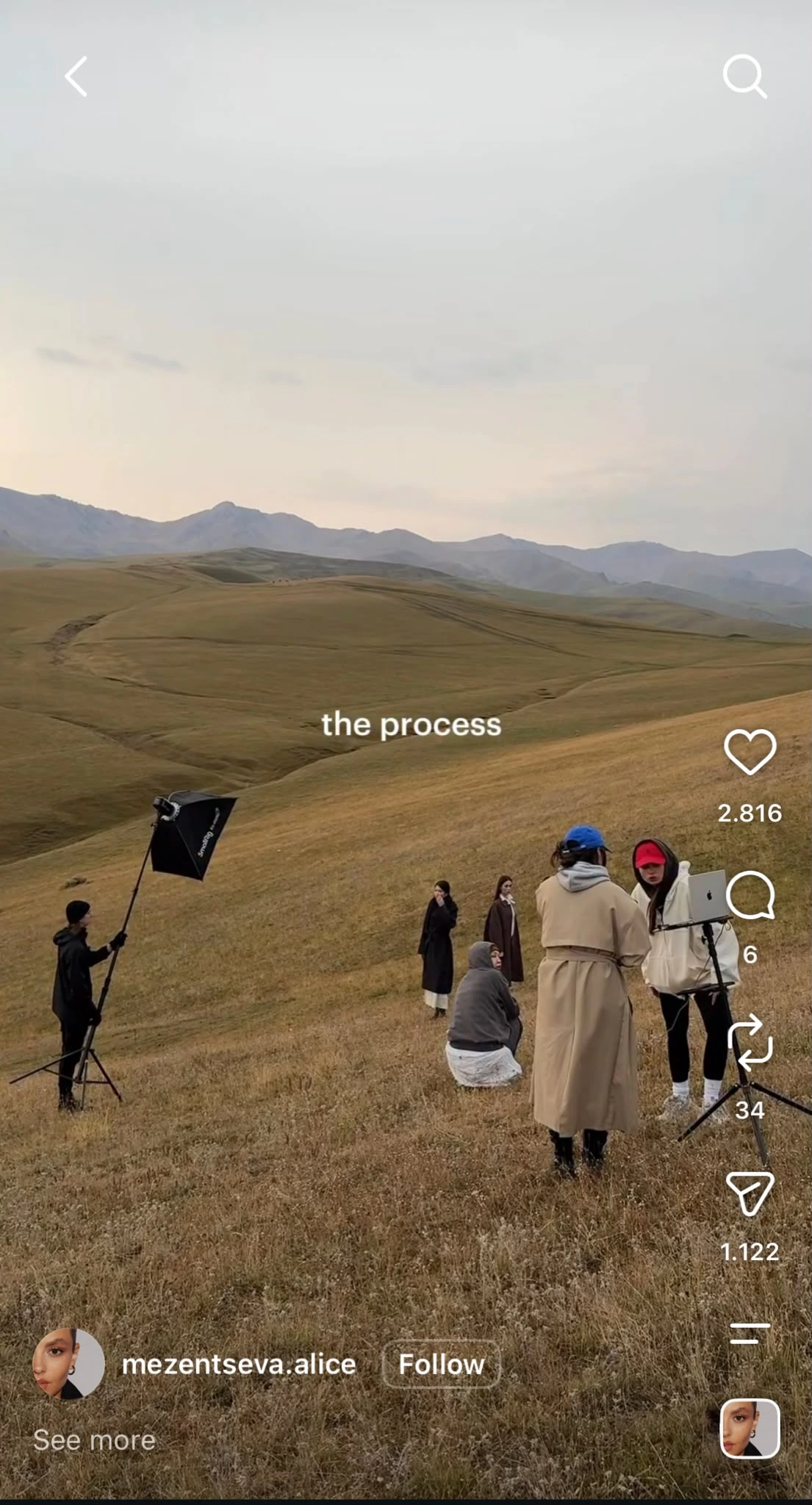
Don't worry about making these clips look professional. Your social media manager can edit the footage, add text, and turn it into a finished post.
2. Products and services in action
Think about what customers would want to see before buying from you.
- For an ecommerce business, that might be a quick video showing how a product works.
- A cleaning company could photograph a completed job
- A fitness studio might film a trainer demonstrating an exercise.

According to Wyzowl's State of Video Marketing 2026, 63% of consumers prefer watching a short video to learn about a product or service. That makes a quick demonstration worth recording, even if it's just a simple clip filmed on your phone.
Before-and-after photos are particularly useful for businesses where the results are easy to see. Just make sure the photos accurately represent the work you've done.
3. Customer experiences and business milestones
Customer feedback can also make great social content. If an existing client leaves a positive review, share it with your manager. They can turn it into a testimonial post or use it as inspiration for content about that service.
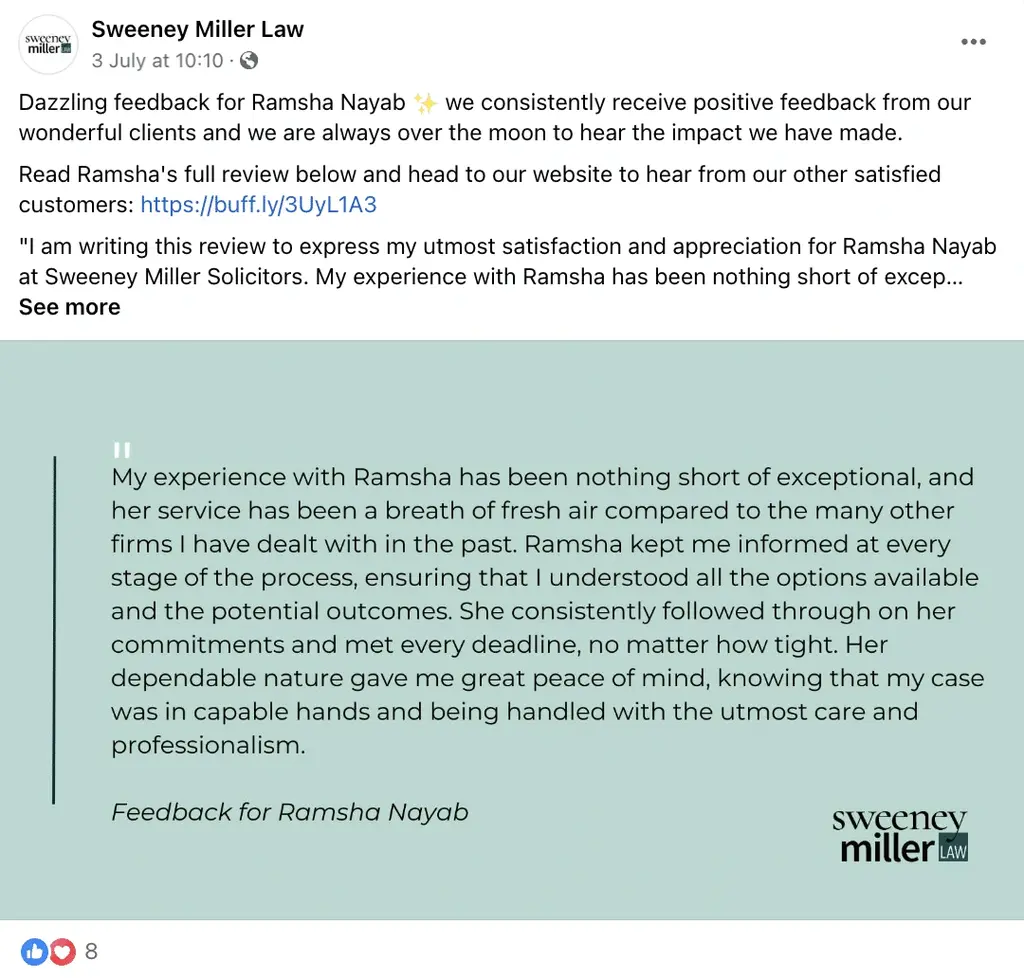
You can also share updates about your business, such as an anniversary, a team achievement, or a community event you've participated in.
Remember to ask for permission before posting identifiable customers or sharing private information.
One ordinary moment can become several posts
Say you own a coffee shop and you're introducing a seasonal drink.
While your barista prepares it, you take a few photos and record a short video. You send everything to your social media manager along with the ingredients and launch date.
They could use the video for an Instagram Reel, turn one of the photos into a Facebook announcement, and share another as an Instagram Story. Later, they could create a follow-up post highlighting the ingredients.
You don't need to plan each of these posts yourself. Your manager can decide how to use the material across your social media channels, while you get back to running your business.
What should you send your social media manager, and how often?
Aim to share a few photos, short videos, and business updates every week or month, depending on your posting schedule and social media platforms.
As a starting point, five to ten original photos and a few short clips per month may be enough for a modest posting schedule. Businesses publishing daily or relying heavily on video will likely need more.
When sending content, include a little context about what's happening and why it matters.
For example: "These are our new handmade candles. We have three seasonal scents, and they'll be available starting Monday."
Share upcoming promotions, launches, and events as early as possible. Your manager can do more with an announcement received two weeks ahead of time than one sent on the morning of the event.
Your monthly social media content checklist
- 5–10 original photos of your business, team, or products
- A few short videos of everyday activities
- Upcoming promotions, launches, and events
- Recent customer feedback or business wins
- Changes to services, hours, or availability
- Answers to frequently asked customer questions
Adjust the amount based on your content plan and your specialist's recommendations.
How to communicate with your social media manager without micromanaging
You hired a social media manager to save time, so you shouldn't have to spend hours reviewing captions or discussing every design decision.
The easiest way to avoid that is to agree on how you'll work together from the beginning.
Here are five tips for communicating with your social media manager:
- Be specific about your business goals
- Decide what really needs your approval
- Give feedback your manager can use
- Keep check-ins short and useful
- Know when to step in
1. Be specific about your business goals
Give your social media manager a clear idea of what you want to achieve and how you'll know if things are improving.
For example, instead of saying, "We want to grow on Instagram," tell them, "We want more people in our area to discover our salon and book weekday appointments."
If you have a specific target, share it. You might want to increase appointment inquiries from 10 to 20 per month or get more people visiting a new product page.
Also, tell your manager which products or services you want to prioritize. If weekday bookings are your main concern, there's little point in spending most of your content calendar promoting services that are already fully booked.
These details help social agencies develop custom strategies around your actual business goals.
2. Decide what really needs your approval
Agree on which posts you want to review before your social media manager starts creating content.
You might let them publish general tips and behind-the-scenes posts without approval, but ask to review anything involving prices, special offers, or customer testimonials.
If you prefer reviewing everything, consider approving a week's worth of posts at once rather than checking them individually throughout the week.
Set a clear deadline for feedback, too. If your manager sends content on Monday, you could agree to review it by Wednesday so there's enough time to make changes before publishing.
Also, decide what happens if you're unavailable. Should the post wait, or can your manager publish previously approved content?
3. Give feedback your manager can use
When something doesn't look or sound right, explain what you'd prefer instead.
For example:
- Instead of "This sounds too formal," say, "We usually speak to customers more casually. Can we make this sound like a conversation?"
- Instead of "I don't like this design," say, "Our brand uses brighter colors, and we'd prefer the product photo to be the main focus."
- Instead of "This caption isn't right," say, "Customers usually ask about durability, so let's explain how long the product lasts."
- Instead of "Change this offer," say, "The discount only applies to our downtown location, and it ends on Friday."
Whenever possible, point to a previous post you liked. That gives your manager a useful reference for future content.
If you find yourself making the same correction repeatedly, ask them to update your brand guidelines so the preference is clear.
4. Keep check-ins short and useful
A quick weekly message is often enough to keep your social media manager informed. You can use it to mention anything coming up that might affect the content calendar.
Every Friday you could send a short update about what's happening the following week, along with any photos you've taken.
If you have a monthly call, use it to discuss what performed well and whether your business priorities have changed. There's no need to go through every published post unless something needs attention.
If several employees contribute ideas, choose one person to collect their updates and communicate with your manager. This avoids situations where one employee approves a post while another asks for changes.
5. Know when to step in
Your social media manager should be able to handle routine decisions without checking with you constantly. However, agree on the situations where they should contact you before taking action.
If someone complains publicly about a serious service issue, your manager may need information from you before responding. The same applies if a customer asks about a refund or makes a claim that needs investigating.
If your package includes community management, give your specialist clear instructions about which messages they can answer themselves. They might be able to respond to questions about opening hours using approved information, while refund requests need to go to your customer service team.
You should also let your manager know immediately if something they've scheduled is no longer accurate, such as a promotion that's been canceled or a product that's sold out.
For routine creative decisions, though, trust their expertise. You can still review the overall direction without getting involved in every caption or design adjustment.
How to capture better social media photos and videos with your phone
You can capture plenty of useful content with your phone. Just keep a few things in mind when taking photos or recording videos:
- Find good lighting. Natural light usually works best, so try filming near a window or outdoors.
- Check the background. Move anything distracting out of the frame so the focus stays on your subject.
- Film vertically. This works best for Reels, TikToks, and Stories. If you're unsure, ask your manager which format they prefer.
- Keep your phone steady. Hold it with both hands or rest it on a stable surface to avoid shaky footage.
- Record a little longer. Leave a few seconds before and after the action so your manager has more to work with when editing.
Send the original photos and videos whenever possible, as messaging apps can reduce their quality.
What results can you expect when you work closely with your social media manager?
Working closely with your manager should lead to better content and the best social media marketing choices for your brand. Here's what you can expect:
- Content that reflects your business. As your manager gets to know your company, they'll have a better understanding of what your customers care about and which topics are worth covering. This means fewer generic posts and more engaging content that's relevant to your audience.
- Fewer last-minute questions. When your manager has the information they need, they can plan ahead instead of constantly checking details with you. They'll also have more time to prepare social media campaigns around important business events.
- Posts that answer customer questions. If your team keeps hearing the same questions from customers, pass them along. Your manager can turn those answers into useful posts that help prospective clients before they contact you.
- A clearer picture of what's working. Social media analytics don't always tell the whole story. A post might get fewer likes than usual but bring in several inquiries. Sharing those results helps your manager understand which content is actually contributing to your business goals and develop impactful strategies.
- Better marketing decisions over time. Your manager can combine performance data with your feedback to improve your social strategy. If you're running ads, reviewing paid advertising performance separately from organic results can also help you see what's driving traffic and inquiries.
With this information, your manager can develop data-driven strategies and make impactful campaigns more relevant to your business needs, rather than relying on social media metrics alone.
Great social media management is a partnership
Hiring a social media manager should give you more time to run your business, without losing the personal touch that makes your brand recognizable.
Your specialist can take care of the content, but they'll do a better job when they know what's happening in your business. Even a quick update or a few photos from your phone can help them create posts that feel more authentic.
This applies to businesses across various industries, whether you're working with a dedicated specialist or a full-service social media marketing agency. Finding the right agency matters, but staying involved enough to share useful information is what helps the relationship work.
Your feedback also gives your manager the context they need to improve future posts and develop data-driven campaigns that support your business goals.
Want an expert to handle your marketing while you run your business? See how ConciergeBee's done-for-you services work.
Frequently asked questions
What do social media management services include?
Social media management services usually cover content planning, post creation, scheduling, and data-driven strategy adjustments. Some packages also include community management or social media advertising, so check what's included before getting started.
Do I need to create content if I hire a social media manager?
No, you don't need to create finished posts. Your manager handles that, but sending original photos and updates helps them make the content more relevant to your business.
How often should I send content to my social media manager?
Weekly or monthly is usually enough, depending on how often you post. Ask your manager how much material they need and agree on a schedule that works for both of you.
Can a social media manager work without original photos and videos?
Yes. They can create posts using graphics, stock images, and other materials. However, original photos and videos help customers see what your business actually looks like and what they can expect from your products or services.
